What it is
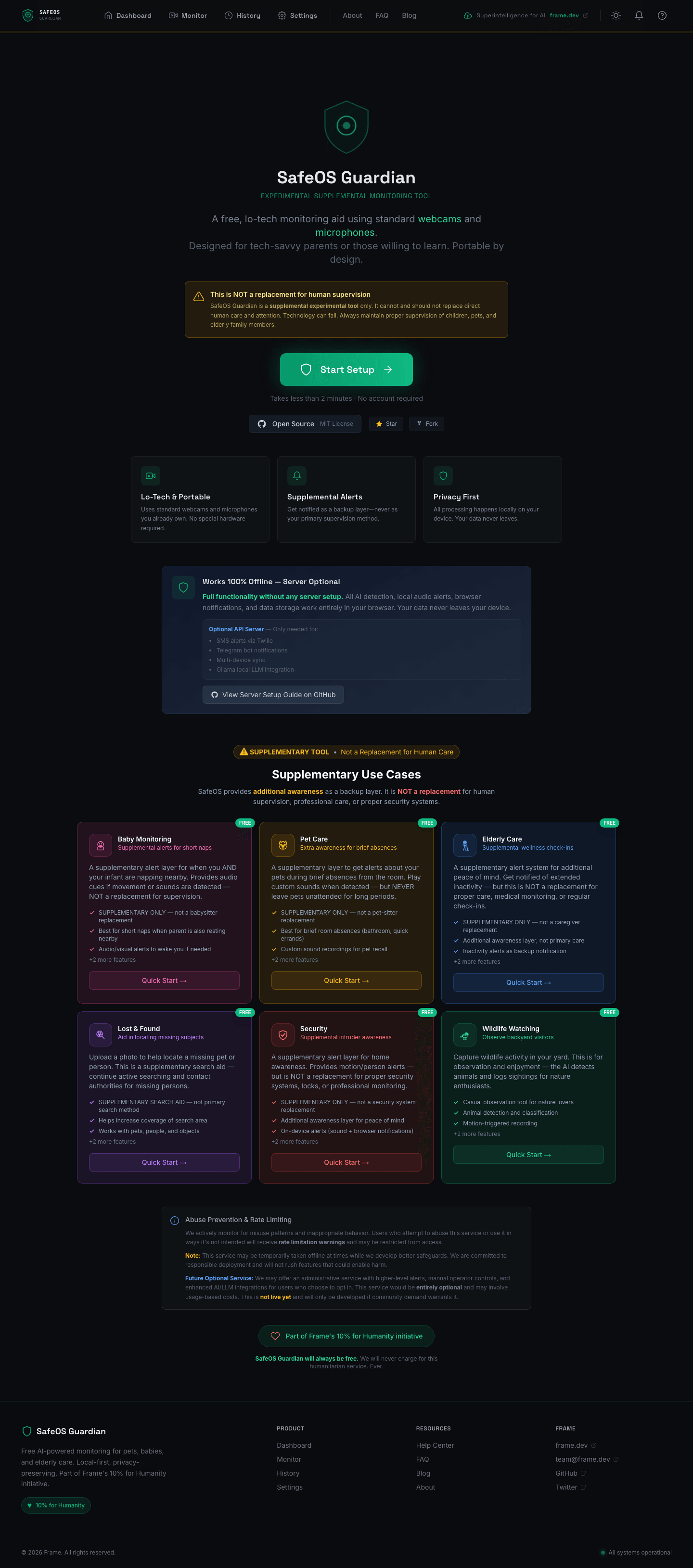
SafeOS Guardian is a free, open-source AI monitoring system for pets, babies, and elderly care. It uses your existing webcam and microphone — no special hardware, no subscriptions, no cloud accounts required. The entire detection pipeline runs in your browser via TensorFlow.js and Transformers.js, and nothing leaves your device unless you explicitly opt in.
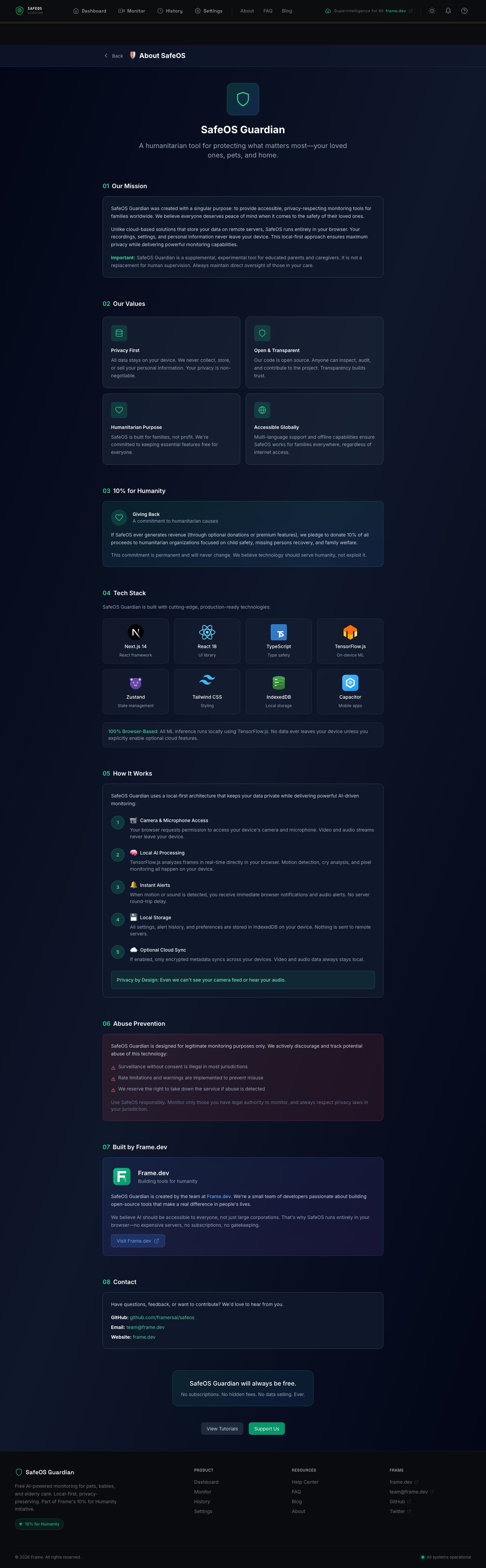
It's part of Frame's 10% for Humanity initiative and is MIT licensed. Supplemental — never a replacement for human care — but a free safety net for families who can't afford commercial monitoring systems.
Architecture at a glance
Two deployment modes. The first requires zero infrastructure — a pure PWA that runs in the browser, installs to your home screen, and works offline. The second adds an optional Express backend for SMS, Telegram, multi-device sync, and local Ollama integration. Both share the same detection pipeline; the server just extends reach.

By the numbers
| Metric | Count |
|---|---|
| Backend TypeScript files | 46 (~4,243 lines) |
| Frontend files | 146 TypeScript/TSX (~7,239 lines) |
| React components | 58 custom components |
| Utility libraries | 30 client-side modules |
| API endpoints | 50+ REST routes across 11 route handlers |
| Test files | 19 (11 unit, 8 integration) via Vitest |
| Documentation files | 7 markdown docs including 463-line ARCHITECTURE.md |
| Docker build stages | 7-stage multi-stage Dockerfile |
| AI tiers | 3 (browser → local Ollama → cloud fallback) |
| Supported LLM providers | 3 cloud (Gemini, GPT-4o-mini, Claude 3 Haiku) + 3 Ollama vision models |
| Notification channels | 5 (browser push, audio, Twilio SMS, Telegram, Capacitor native) |
| Scenario presets | 6 (baby, pet, elderly, lost & found, security, wildlife) |
| Languages / i18n | next-intl multi-language infrastructure |
| License | MIT (Frame's 10% for Humanity) |
Three-tier AI escalation
Frames start in the cheapest, fastest tier and only escalate when there's something worth escalating. This is the core architectural insight — 99% of frames are boring (empty room, sleeping baby, still pet), so spending cloud compute on them is wasteful and slow.

Tier 1 — Browser (always on, ~$0). Every frame runs through TensorFlow.js COCO-SSD (~5MB, ~50ms) for object detection and Transformers.js ViT-base-patch16-224 (~89MB, ~150ms) for scene classification. Motion runs as a pixel-diff with configurable detection zones. Audio runs through the Web Audio API with frequency-band analyzers tuned for cries (300-600Hz), pet sounds, or fall impact. All of this works offline, forever, with zero network calls.
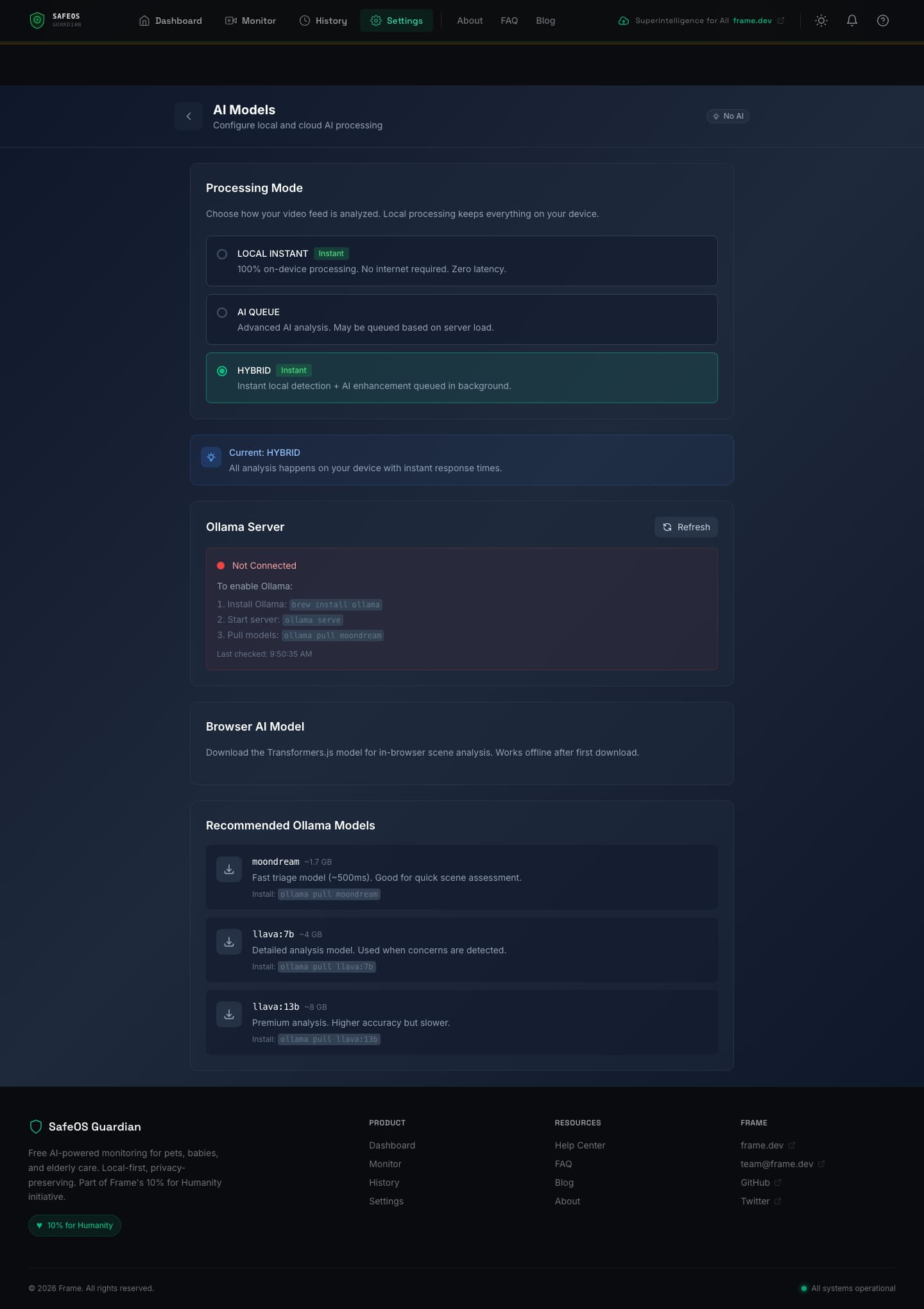
Tier 2 — Local Ollama (optional, user-hosted). If a Tier 1 signal crosses a concern threshold, the frame gets forwarded to a local Ollama server running moondream (~1.7GB, ~500ms) for triage. If the triage model flags something worth a closer look, llava:7b (~4GB, 2-5s) runs detailed scenario-specific analysis — the prompt depends on whether the user selected baby, pet, or elderly monitoring. For complex reasoning, llama3.2-vision:11b (~7GB, 5-10s) is available.
Tier 3 — Cloud Fallback (opt-in). Only for genuinely ambiguous cases that Tier 2 can't resolve, and only if the user has explicitly enabled it. Three providers are supported through a unified client: Gemini Flash via OpenRouter, GPT-4o-mini via OpenAI, and Claude 3 Haiku via Anthropic. Frames are redacted before transit (faces blurred for human-review scenarios) and rate-limited aggressively.
The detection pipeline
The browser runtime is where the most interesting work happens. Users never know it's running — they just see alerts.
Motion detection with zones
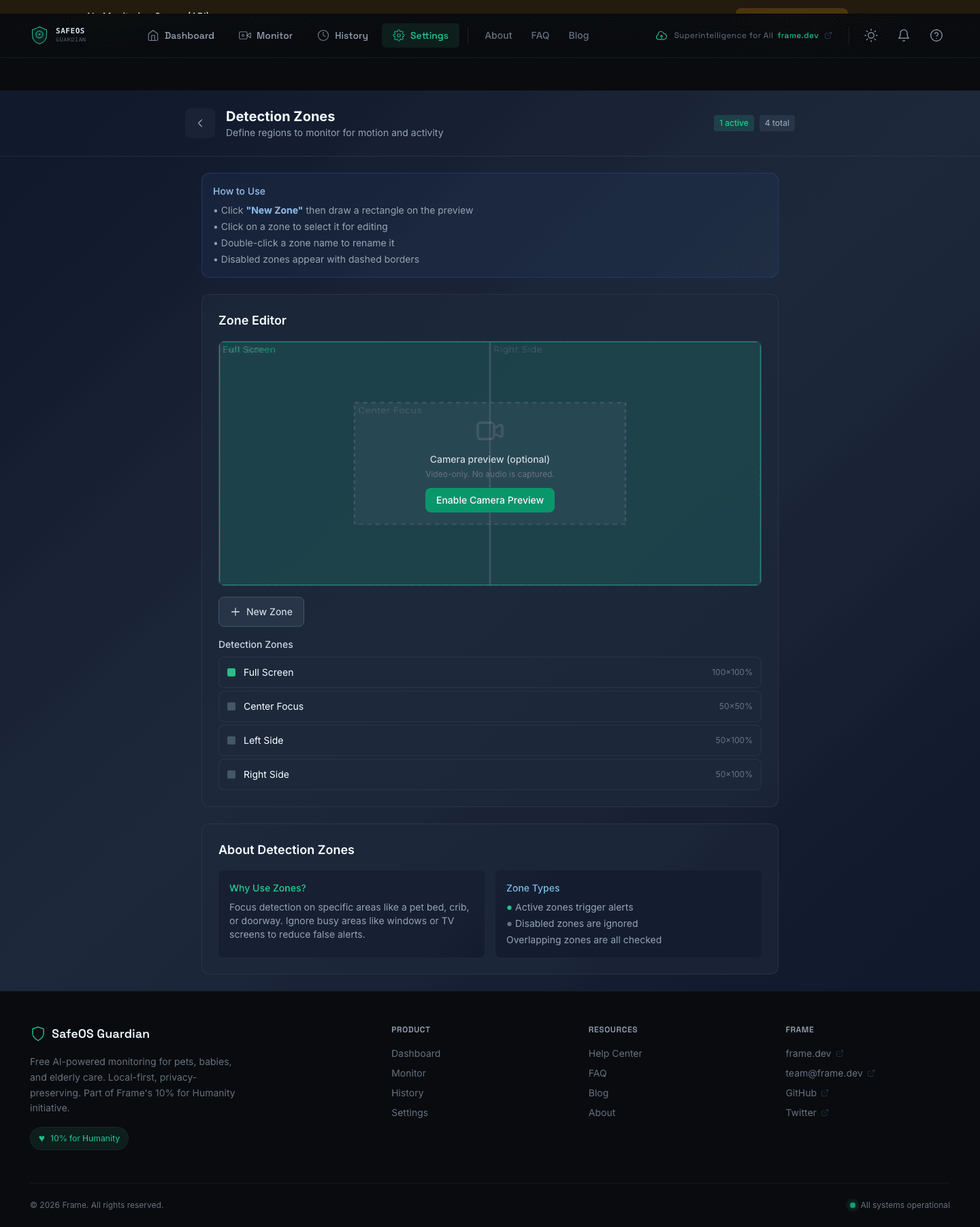
The frame analyzer computes a pixel delta between the current frame and a calibrated baseline. A user-defined detection zone system lets you mask out busy areas (TVs, windows with moving leaves, ceiling fans) and focus detection on specific regions like a crib, pet bed, or doorway. Zones are stored as normalized rectangles and the editor supports overlapping regions, which are all independently checked.
Audio analysis
The audio pipeline uses the Web Audio API's AnalyserNode to compute frequency-domain signals in real time. Baby cry detection focuses on the 300-600Hz band where infant cries concentrate. Pet sounds use broader spectral patterns. Elderly fall detection listens for short impact transients. A background noise filter reduces false positives by computing a rolling noise floor.
Vision pipeline
Two models run in sequence. COCO-SSD handles fast object detection — person, dog, cat, chair, couch, etc. If the scenario requires scene-level understanding (e.g., "is the baby still in the crib, or did they climb out?"), Transformers.js ViT runs classification. Both models are pulled from their official CDNs on first load and cached in the browser's service worker for offline use.
Lost & Found — visual fingerprinting
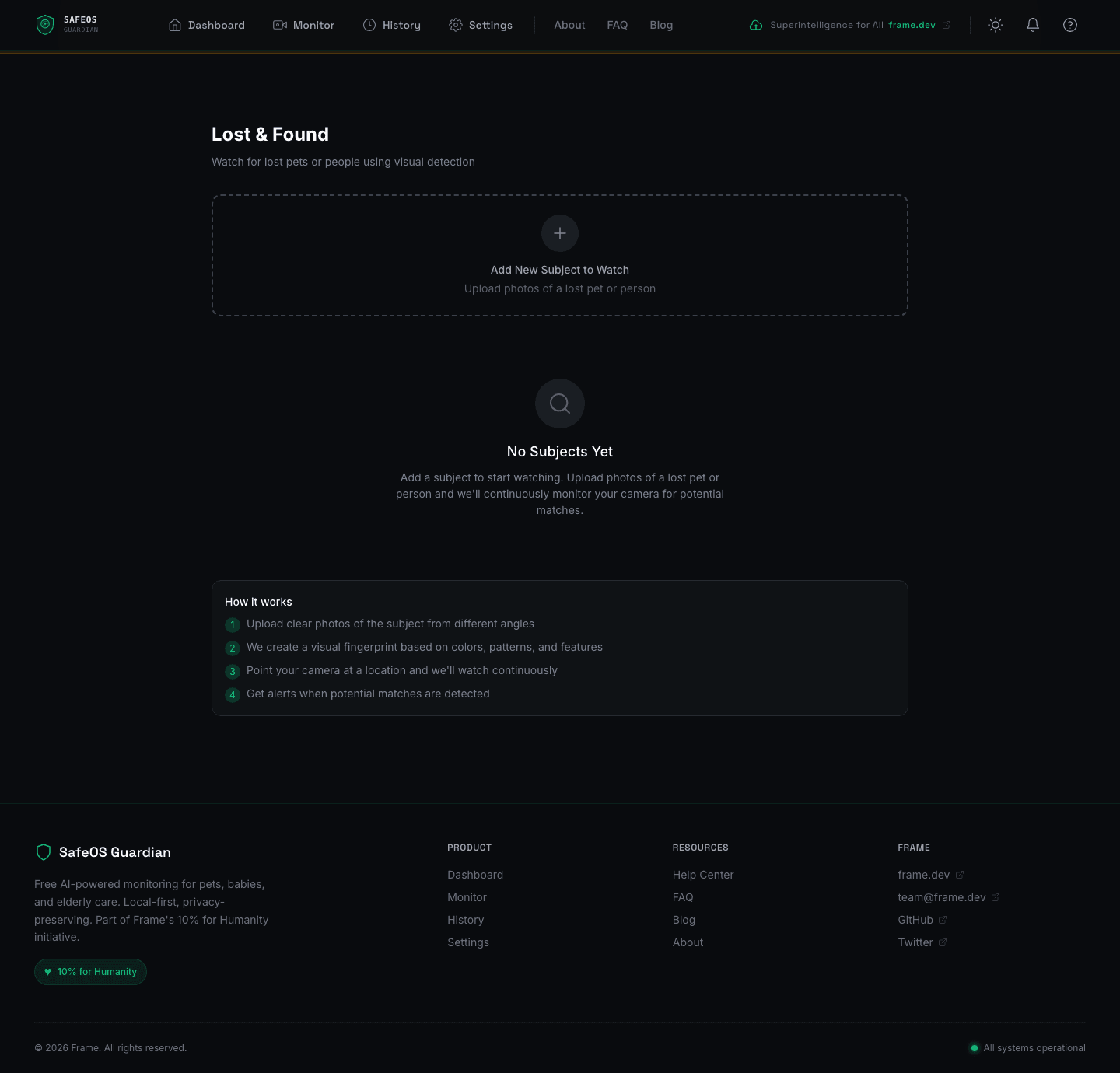
One of the more novel features. You upload photos of a missing pet or person, and the system extracts a visual fingerprint — a combination of color histogram, dominant colors, edge signatures, and size ratios. The camera then continuously watches for matches, and on a hit you get an alert with the matched frame. It's not face recognition — it's a lightweight, privacy-preserving visual matching system that works for pets (where faces are unreliable) as well as people.
The alert pipeline
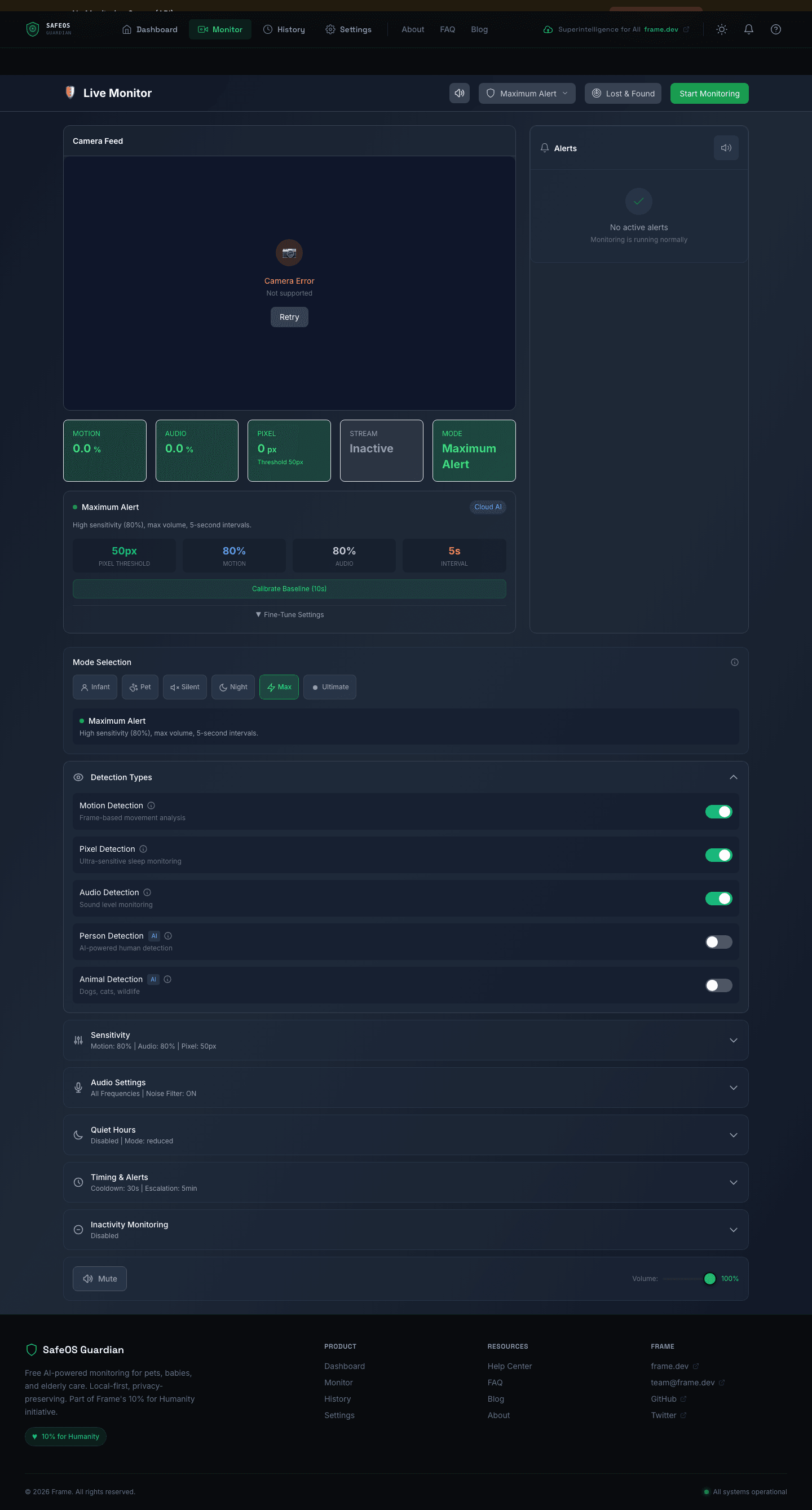
Detection is only half the problem — getting the right person's attention at the right level is the other half. SafeOS implements a 5-level escalation ramp that starts quiet and builds volume over 120 seconds until the alert is acknowledged.

Every alert carries a severity — info, low, medium, high, critical — and each severity has its own cooldown to prevent alert fatigue. Critical alerts have zero cooldown and immediately escalate; info alerts have a 5-second minimum gap. A content-filter service checks messages against safety policies before dispatching, and quiet-hours configuration lets users suppress non-critical alerts during configured time windows.
The Monitor view surfaces this live — motion percentage, audio levels, pixel deltas, stream state, sensitivity sliders, detection toggles, audio frequency profiles, per-severity cooldown controls, inactivity monitoring, and volume overrides — all in a single admin dashboard.
Backend architecture
The optional Express backend is ~4,243 lines of TypeScript with a clear domain boundary between API routes, library services, and job queues. It uses @framers/sql-storage-adapter (same SQLite storage layer used by AgentOS) for persistence, BullMQ for background jobs (frame analysis and human review), and Socket.io for real-time WebSocket delivery of frames and alerts.
src/
├── api/
│   ├── server.ts           — Express + WebSocket bootstrap
│   ├── routes/
│   │   ├── auth.ts         — Session + email auth (519 lines)
│   │   ├── export.ts       — GDPR data export (483 lines)
│   │   ├── webhooks.ts     — Third-party integrations (383 lines)
│   │   ├── streams.ts      — Monitoring stream CRUD (278 lines)
│   │   ├── profiles.ts     — Scenario profiles (251 lines)
│   │   ├── alerts.ts       — Alert management (239 lines)
│   │   ├── analytics.ts    — Usage analytics (235 lines)
│   │   ├── review.ts       — Human review queue (221 lines)
│   │   ├── system.ts       — Health + status (184 lines)
│   │   └── analysis.ts     — Analysis results (169 lines)
│   ├── middleware/         — auth, rate-limit, Zod validation
│   └── schemas/            — API validation schemas
├── lib/
│   ├── analysis/
│   │   ├── frame-analyzer.ts   — Two-tier vision pipeline
│   │   ├── cloud-fallback.ts   — Multi-provider LLM routing
│   │   └── profiles/           — pet, baby, elderly, security prompts
│   ├── alerts/
│   │   ├── escalation.ts       — Volume ramping 0→100%
│   │   ├── notification-manager.ts
│   │   ├── browser-push.ts     — Web Push VAPID
│   │   ├── twilio.ts           — SMS
│   │   └── telegram.ts         — Telegram Bot
│   ├── audio/analyzer.ts       — Cry / distress detection
│   ├── ollama/client.ts        — moondream / llava integration
│   ├── safety/                 — content-filter, disclaimers
│   ├── streams/manager.ts      — Stream lifecycle
│   ├── review/human-review.ts  — Review queue workflow
│   └── webrtc/signaling.ts     — WebRTC signaling
├── queues/
│   ├── analysis-queue.ts       — BullMQ frame analysis
│   └── review-queue.ts         — Human review jobs
└── auth/email-auth.ts
Every frame is written to a rolling 5-10 minute buffer and then discarded. Nothing is stored long-term unless the user explicitly exports it. The GDPR export endpoint (483 lines) builds a complete user data package on demand and can compress it, mark frames as exported for incremental sync, and hand back a signed bundle.
Settings and privacy controls
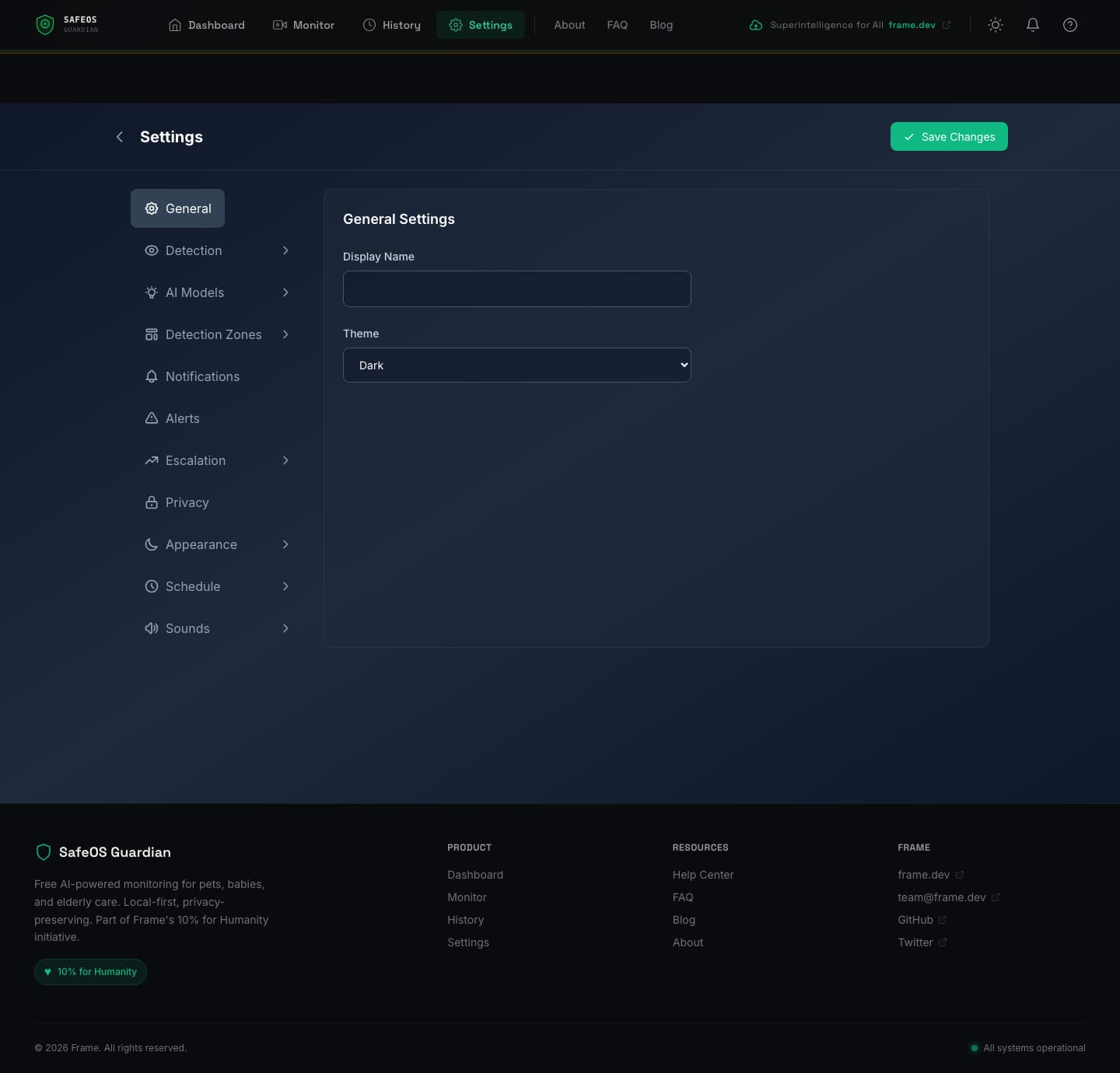
The settings surface is deliberately comprehensive because the trust model depends on users being able to see and control everything. General settings, detection tuning, AI model selection, detection zones, notification channels, alert thresholds, escalation timing, privacy controls, appearance, schedule, and sounds — all exposed as independent settings pages.
Local timeline and export
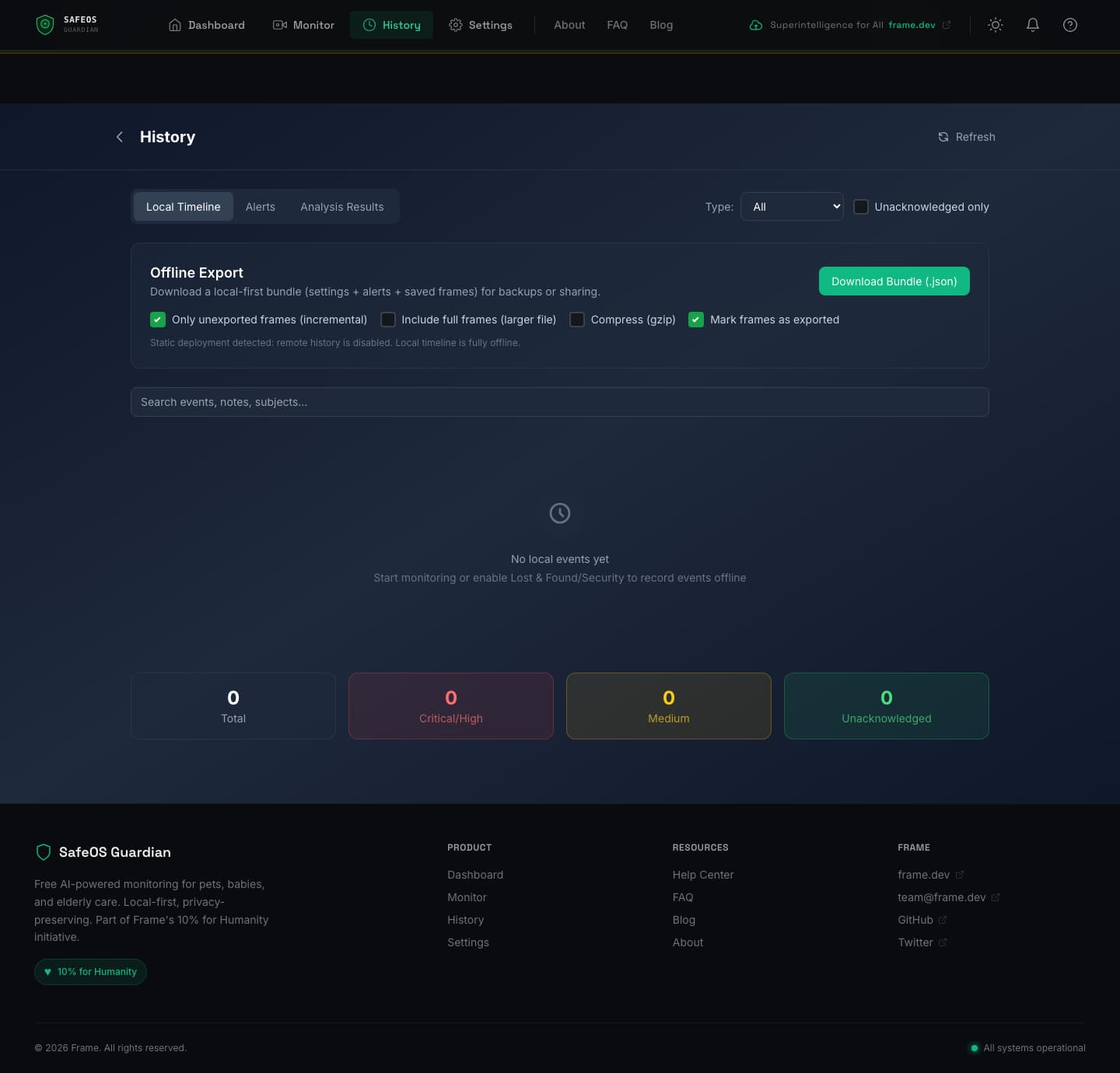
History is stored entirely in IndexedDB for the offline-first mode. Events are timestamped, filterable by type (alerts, lost & found, intrusions), and searchable. A local bundle export lets users download their complete history as JSON — optionally with full frames embedded and gzip compression — for backups, sharing with a family member, or transferring to another device. Exported frames can be marked so that subsequent exports only include new ones (incremental sync).
Privacy architecture
Everything about the system is built around the principle that frames never leave the device unless the user explicitly opts in, and even then, only with the minimum necessary data.
- Local-first: detection pipeline runs entirely in the browser. No network calls for Tier 1 inference.
- Rolling buffer: only 5-10 minutes of frames are ever in memory at once. Old frames are discarded.
- No cloud storage: frames are analyzed and dropped. Only user-initiated exports persist beyond the session.
- Anonymization: frames forwarded to human review (if enabled) get faces and sensitive areas blurred.
- Rate limiting: cloud fallback is rate-limited aggressively to prevent runaway spend and abuse.
- GDPR export: one-click full data export and deletion.
- Abuse prevention: the service actively monitors for misuse patterns and can restrict access. Documented openly.
Tech stack
| Layer | Stack |
|---|---|
| Frontend | Next.js 14, React 18, TypeScript 5.6, Tailwind CSS 3.3, Zustand 4.4, next-intl 4.6 |
| Client ML | TensorFlow.js 4.17, COCO-SSD 2.2, Transformers.js (Xenova) 2.17, ViT-base-patch16-224 |
| Client storage | IndexedDB via idb 7.1, service worker cache |
| Mobile | Capacitor 5.6 (iOS / Android native shells) |
| Backend | Express 4.21, Socket.io 4.8, BullMQ 5.31, better-sqlite3, @framers/sql-storage-adapter 0.4 |
| Backend AI | Ollama 0.5, OpenAI 4.72, Anthropic SDK 0.32, sharp 0.33 image processing |
| Notifications | Twilio 5.3, node-telegram-bot-api 0.66, web-push 3.6 (VAPID) |
| Realtime | WebRTC via simple-peer 9.11 |
| Testing | Vitest 2.1, Playwright E2E |
| Validation | Zod 3.23 schemas |
| DevOps | Docker 7-stage multi-stage build, pnpm monorepo, Caddy reverse proxy |
Why this matters
Commercial baby monitors, pet cams, and elder-care systems are expensive, cloud-dependent, and often leaky with your data. Families who can't afford them go without. SafeOS is the free, open-source alternative — runs on hardware you already own, keeps your data on your device, and costs nothing to use. The architecture is deliberately supplemental (it's an alert layer, not a replacement for human care) and deliberately transparent (every policy, prompt, and detection rule is in the open-source codebase).
The interesting technical work is the three-tier escalation architecture — most frames never leave the browser, some escalate to local models, and only the genuinely ambiguous cases reach a cloud API. That pattern keeps inference cost effectively zero for the default case while still letting users opt into more sophisticated reasoning when they need it.
Links
Website: safeos.sh
GitHub: github.com/framersai/safeos
Frame.dev: frame.dev